

Six years ago I bought a depth finder because a fella at the ramp told me I was fishing blind. I used it twice, never understood a thing on the screen, and it lived on the garage shelf next to a tackle box I also quit opening. Darlene finally made me clear that shelf off last spring, which is how the Garmin Striker 4 ended up bolted to my console instead of thrown in the trash pile.
Here is what changed for me. That old unit wanted me to read a manual. The Garmin Striker 4 with its transducer wants me to push a button and get back to casting. I run a 17-foot aluminum boat with a 40 horse outboard and a bow mount trolling motor, and most of my fishing happens on Wilson and Pickwick out of Florence, plus a couple of farm ponds when the wind lays me out. I fished this unit all season, March through the first cold snap in November, and I have notes worth sharing before you spend anything.
The Quick Verdict
Small screen, simple buttons, real sonar. It shows you bottom, structure and depth without a manual, and the waypoint map lets you find that brush pile again next Saturday. It will not map a lake for you, and it loses bottom at speed. For a weekend bass angler in a small boat, it does the job.
Amazon Check Today's Price →The Unit That Ended My Excuse for Fishing Blind
3.5 inch CHIRP display with ClearVü scanning, waypoint map, tilt and swivel mount, transducer and transom hardware in the box. Took me about an hour to install in the driveway.
Amazon Check Today's Price on Amazon →How I've Used It
I mounted the transducer on the transom, which is what the hardware in the box is set up for, and ran the power and data cable up to the console where the boat battery lives. The tilt and swivel mount let me angle the screen toward the driver's seat instead of straight at the windshield, which matters more than you would think in a boat that gets bounced around. The whole install was one afternoon in my driveway with a drill, a couple of zip ties, and one trip back into the garage for a wrench I had set down somewhere.
The transducer bracket is the only part that took any thought. On an aluminum hull you have to get the puck sitting level with the bottom of the boat and low enough that it stays wet when you are on plane, but not so low that it drags a rooster tail back at you. I held it up with one hand, marked two holes with a pencil stub, and drilled. First try sat about a quarter inch too high and I was losing bottom at half throttle, so I slotted the holes out with a round file and dropped it. That took ten minutes and solved it. If you are the kind of person who drills first and measures later, measure first on this one, because a transom with four extra holes in it is a transom that leaks.
The unit itself is light, about eight ounces, and small. Three and a half inches on the diagonal, with roughly a 1.9 by 2.9 inch viewing area. That sounds tiny on paper and it looks tiny in your hand. In the boat it is fine, because you are not watching television, you are glancing down between casts to see what is under you.
Ruby rides along on the calm mornings, usually wedged between my seat and the rod locker where she can supervise. The screen sits high enough on the swivel mount that her tail does not wipe it, which is more than I can say for my old graph. She has learned the sound of the trolling motor coming down and now she gets up on the deck before I do. I keep a towel over the unit when she is climbing around, mostly because a wet Lab tail and electronics are a short story with a bad ending.
What the Screen Actually Tells You
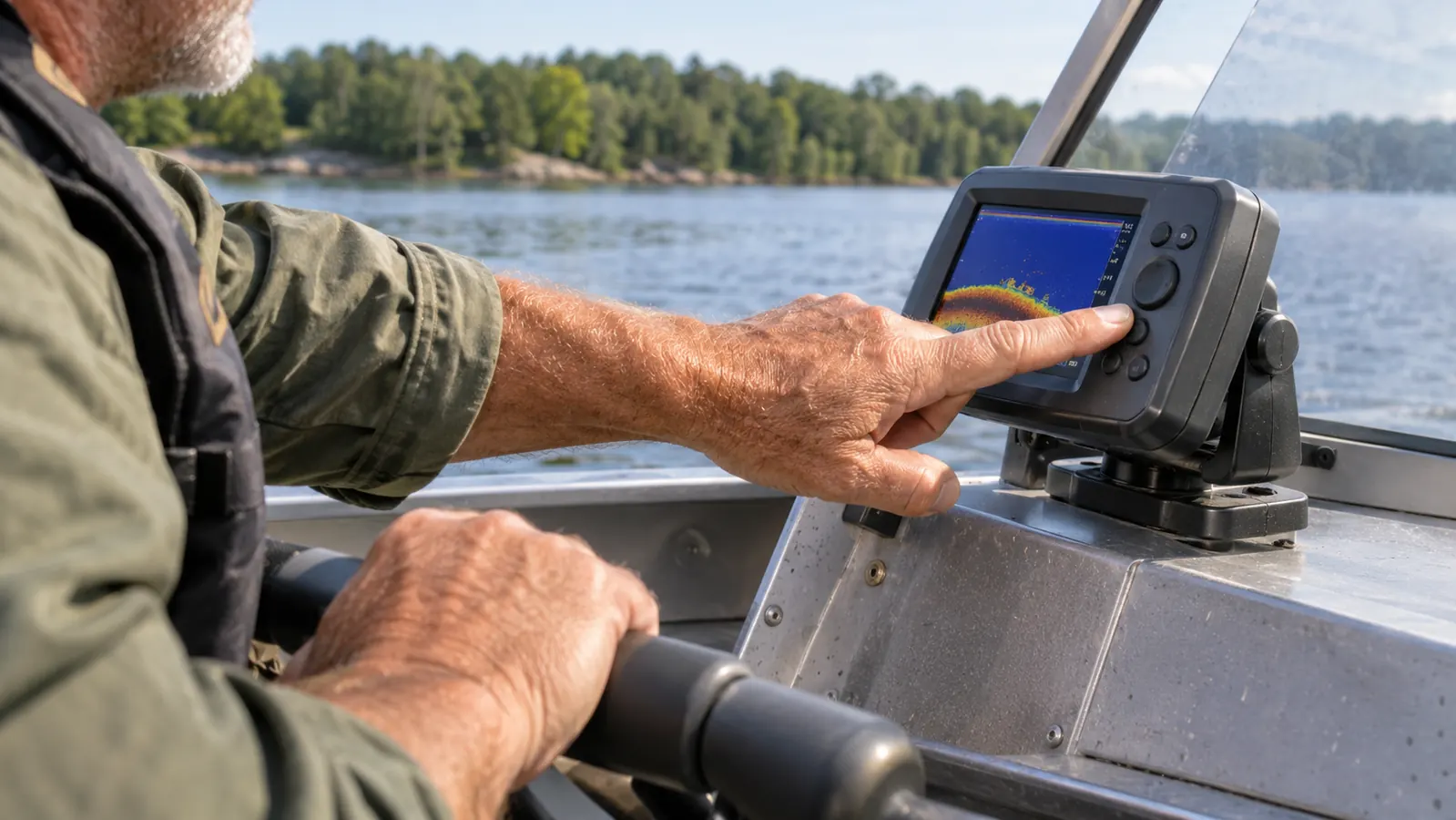
The Striker 4 runs CHIRP sonar, and it also does ClearVü scanning, which is the high frequency look at what is directly around the boat rather than a straight cone underneath. Practically speaking, the regular CHIRP view is my working screen. It shows bottom, the hardness of that bottom, bait, and any fish that are holding close to structure. When I ease over a stump field on Wilson, that trailing line of returns tells me whether I am over clay or rock, and rock is where the crawfish live, and crawfish is where the bass are in late fall.
ClearVü is the screen I use when I am idling along a ledge and want to see how a brush pile is sitting. It gives you a narrower slice of water but a more detailed picture of the shape of things. I do not stare at it all day. I use it to confirm what I already suspect, then I pick up a rod. The max depth rating is 1,600 feet, which is a number I will never test on a Tennessee River lake that runs maybe 60 feet in the holes I fish. It does mean the unit is not going to be the thing that fails you in deep water.
There was a morning in early April that taught me the difference. I was on a main lake flat on Wilson, water about nine feet deep, and the CHIRP screen showed a hard bottom with almost nothing on it. I switched over to ClearVü and there was a cluster of small returns sitting just off a lip where the flat fell into the channel, tight enough together that it was either bait or a school of fish holding low. Turned out to be both. I backed off, made three casts with a lipless bait, and put a 3 pound 4 ounce fish in the livewell. Without that second view I would have run right past it, because the flat looked dead on the cone view. That is not a story about a magic machine. It is a story about a machine that showed me two pictures of the same water and one of them had fish in it.
Reading bottom hardness took me about three trips to get comfortable with. The screen draws the bottom as a band with a thickness, and a hard bottom like rock or packed gravel comes back as a tight, bright line. Mud and soft silt come back thick and dim. Once you have idled over a few places you already know, you can calibrate your eye to it fast. I went over the riprap at the Wilson Dam access one morning just to teach myself what rock looked like on the screen, then went out and found three more places built the same way. If you do that little exercise once, the unit stops being a gadget and starts being information.
Marking Stumps and Brush Piles on the Waypoint Map
This is the part that changed how I fish, and it is the reason I would buy this unit again. The waypoint map lets you mark and navigate back to brush piles, stumps, docks, and any other piece of cover you find. Before, I was doing what everybody did before they had electronics. I was picking a boat house on the far bank and counting to myself, then swearing I was ten feet off when I got there, then fishing the wrong stump for an hour.
Now I idle over a pile, drop a waypoint, name nothing, and move on. Next Saturday I pull up the map and the boat tells me which way to steer. I have about a dozen marks on the lower end of Pickwick that I would have lost forever otherwise, and two of them are the kind of pile you only find by accident. That alone paid me back in a season of not re-fishing empty water.
The habit I built is simple and you can copy it. Whenever I catch a good fish, I hit the mark button before I do anything else. Not after I unhook it, not after I take a picture, before. First fish of the morning on a June trip came off a dock corner in about four feet of water, and by the time I had the fish in my hand I had already marked it. Two weeks later I came back, pulled up the mark, and caught three more off the same corner in fifteen minutes. I have also marked a few things that turned out to be nothing, and that is fine. A waypoint you check twice and delete costs you thirty seconds.
One caution on the map. It is a waypoint map, and the navigation is you watching a line and steering toward a point. It is not going to route you around a sandbar or tell you which side of an island to run. On Pickwick I run water I know, so I mostly use the map to fine tune my position, not to navigate. The first time you use it on a lake you do not know, keep your eyes up and your hand on the throttle. Getting to a brush pile is not worth a lower unit.
Two Buttons and Cold Hands: The Keyed Interface
The feature I did not expect to care about is the keyed interface with dedicated buttons. No touchscreen. No swiping at a screen with wet fingers while the boat rocks. Each function has its own button, and after two trips my thumb knew where they were without me looking. In March, when it is 38 degrees and my hands are stiff and the wind is pushing me down the bank, that is the difference between adjusting my range and giving up on the electronics for the day.
A touchscreen would be prettier. It would also be useless with wet gloves on a moving boat. Garmin made the right call here, and it is the sort of thing you only appreciate after you have owned the other kind. I had one morning in late March where I needed to back the range off in a hurry as the bottom rose under me, and I got it done with two presses and never took my eyes off the bank. My old unit had a menu I had to walk through. I would have hit the bank before I finished walking it.
Where the Striker 4 Comes Up Short
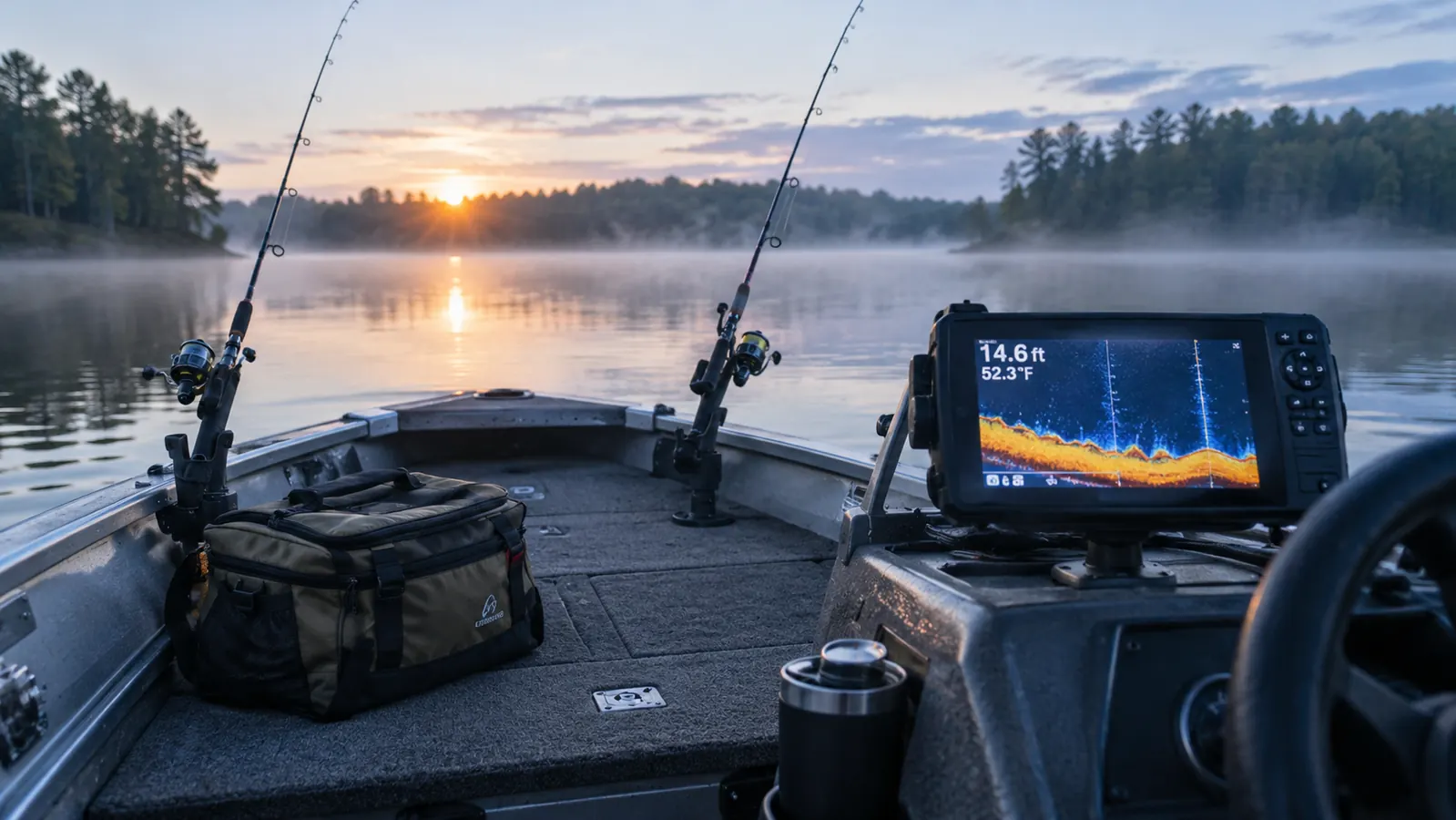
First, it loses bottom at speed. Once I get the 40 horse wound up and I am running to the next creek, the reading scrambles and I get a depth number I do not trust. That is a transducer placement reality more than a knock on the unit itself, and a lot of anglers fix it by mounting a second transducer or adjusting the angle. I did not bother, because I know the water I run and I am not using sonar at 30 miles an hour anyway.
Second, it does not build a map for you. The sonar package is CHIRP and ClearVü, and the navigation is waypoints on a map, and that is the whole of it. If you want contour mapping of a lake you have to look at a different unit and a different budget. Third, the warranty is a one-year limited warranty, which is ordinary for this class and still shorter than I would like. Fourth, three and a half inches is a compromise. On a bright day with the sun over your shoulder, you will shade the screen with your hand more than once.
The sun issue is not imaginary. Mid July, about 10 in the morning, sun coming up over the far bank and no shade anywhere on the boat, I could see the depth number but the fine detail in the sonar return washed out into gray mush. I fixed mine with a piece of dark plastic cut from a five gallon bucket lid that I clamp over the top of the unit, which cost me nothing and looks like I made it in the shed, because I did. A commercial sun shade costs more than the bucket and works the same. If you are not willing to rig up something, the glare will annoy you from June through August.
What I Liked
- CHIRP sonar and ClearVü scanning give you bottom composition and structure detail in one small unit
- Waypoint map marks brush piles, stumps and docks so you can return to them instead of guessing at landmarks
- Dedicated buttons work with wet or cold hands, no touchscreen to fight in a moving boat
- Transducer, transom hardware, power and data cable, and tilt and swivel mount all come in the box
- Light at eight ounces and small enough to fit a console on a 17-foot aluminum boat
- Rated to 1,600 feet of depth, far beyond anything a river bass angler will fish
Where It Falls Short
- Loses a usable bottom reading once you are running at speed
- No contour mapping or chart building, waypoints only
- 3.5 inch display gets washed out in direct sun
- One-year limited warranty
- Small screen means splitting it between sonar views is a compromise
I have about a dozen marks on the lower end of Pickwick that I would have lost forever otherwise, and two of them are the kind of pile you only find by accident.
Who This Is For
This is for the angler in a small boat, a kayak, or a jon boat who wants to see what is under him and stop wasting casts on empty water. If you fish the same two or three lakes and you want to find structure, mark it, and come back to it, the Garmin Striker 4 does that with fewer buttons than most remotes. It is also a good first unit for somebody who has never owned electronics, because there is almost no learning curve. I was reading bottom on my first trip, and I am not a patient man with instructions.
The other guy this suits is the pond fisherman who occasionally gets invited to a lake and does not want to be the one fishing blind. I have two farm ponds within ten minutes of the house, and I still take the boat out some evenings just to change the water. For that kind of fishing the Striker 4 is more than enough. It will show you the depth, it will show you the drop from the shallow end to the dam, and it will mark the one sunken pallet you found that holds a fish. You do not need a chart plotter to fish a pond. You need to know where the deep water is.
Who Should Skip It
If you want to build your own contour maps of a lake, or you fish big water where you need a chart under your sonar, this is not the unit and no amount of practice will make it one. Same if you spend a lot of time scanning wide areas for suspended fish offshore. And if a 3.5 inch screen is going to frustrate you on a bright day, spend the money on something with more glass. There is no shame in that. Just do not buy this one and complain that it is small. It tells you it is small right on the box.
I would also steer a tournament angler toward something else. If you are fishing for money every weekend and covering thirty miles of river, you want a bigger screen, a mapping chip, and a unit that holds bottom at speed, and you want to pay for it. The Striker 4 is not a competitive tool at that level and it does not pretend to be. It is a tool for a man who goes fishing to go fishing. That is a different job and it deserves a different answer.
One Season In, I Would Mount It Again
3.5 inch CHIRP display, ClearVü scanning, waypoint map, tilt and swivel mount, transducer and transom hardware included. It has earned its spot on my console.
Amazon Check Today's Price on Amazon →